
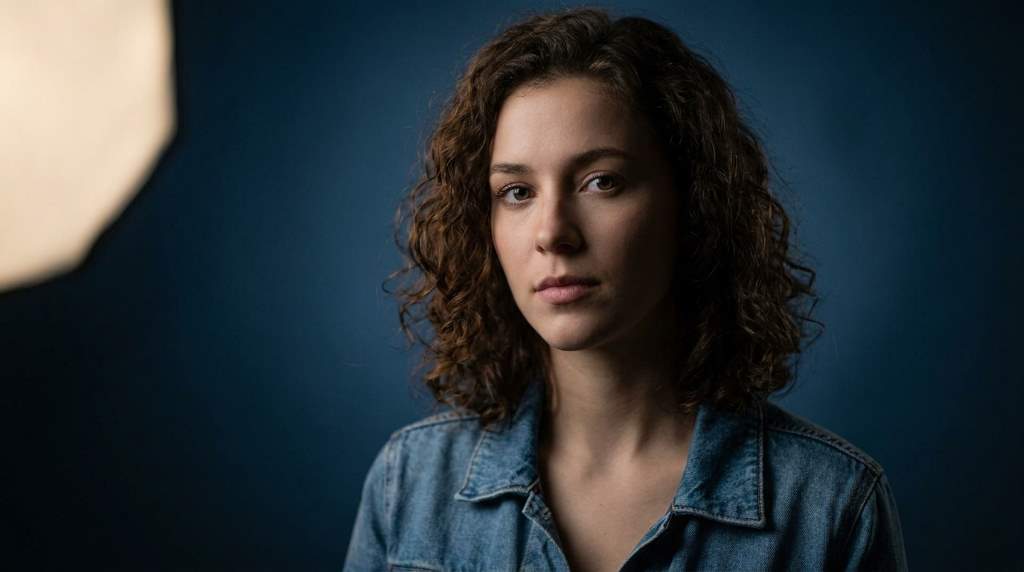
31 Aug How Do Direct Flash Portraits Create A Retro Vibe?
Direct flash portraits create a retro vibe through hard light, sharp shadows, bright skin, and candid snapshot energy. The look resembles party photos, disposable cameras, and nightlife images from earlier decades. Many cameras sync standard flash around 1/200 second, while 35mm rolls commonly held 24 or 36 frames. Together, those technical limits encouraged photographers to capture decisive, unpolished moments.
The Visual Ingredients Behind Retro Direct Flash
Direct flash creates its signature appearance by placing a compact light source close to the camera lens. Consequently, the light strikes the subject almost straight on and produces minimal facial modeling. This approach creates bright highlights, defined shadows, and an unmistakably immediate appearance.
Unlike soft side lighting, direct flash does not gradually wrap around facial features. Instead, it reveals texture while keeping the background comparatively darker. That contrast gives portraits a spontaneous quality associated with old party photographs.
The effect also depends heavily on distance between the camera, flash, and subject. When the flash sits close, its light reaches the face strongly while distant surroundings lose exposure. Therefore, subjects often appear bright against darker rooms, streets, clubs, or hallways.
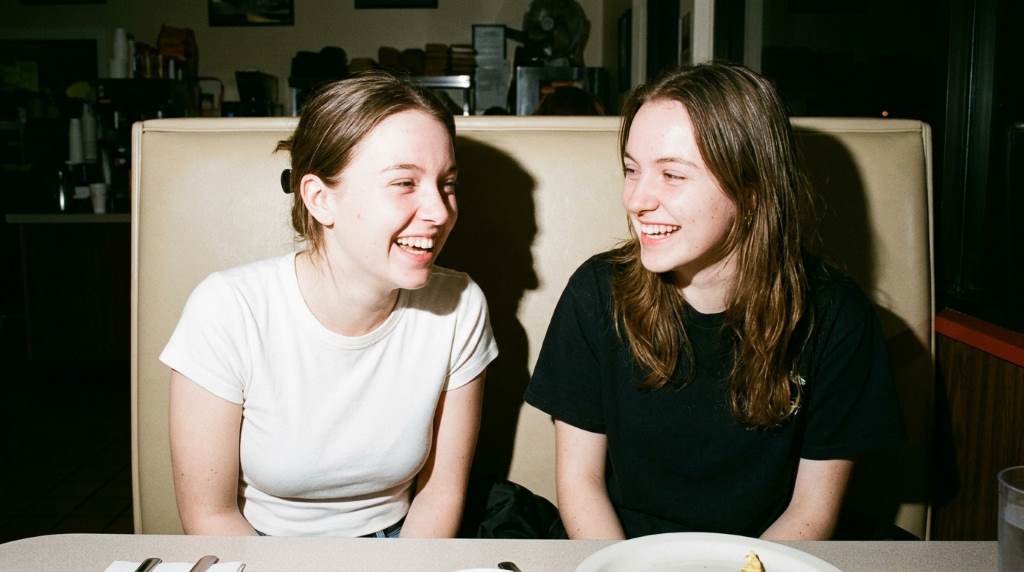
Several visual characteristics work together to establish the retro impression:
- Hard shadows: Crisp shadows create a distinctly unsoftened photographic character.
- Bright highlights: Flash can produce reflective skin, eyes, jewelry, and clothing details.
- Dark backgrounds: Limited ambient exposure separates subjects from their surroundings.
- Flat facial light: Front-facing illumination reduces dramatic modeling across the face.
- Visible texture: Skin, fabric, walls, and imperfections remain unusually noticeable.
- Snapshot timing: Quick flash captures can make posed portraits feel unexpectedly candid.
For photographers exploring fashion imagery, these principles also connect with broader fashion photography tips that emphasize styling, framing, and intentional visual choices.
Why Hard Light Feels Nostalgic
Nostalgia comes from more than lighting alone because viewers recognize familiar photographic imperfections. Direct flash recalls birthday parties, school events, nightlife snapshots, and family gatherings. As a result, the image can feel personal before viewers consciously analyze its lighting.
Modern cameras can produce exceptionally clean images, yet perfection sometimes removes emotional texture. Direct flash introduces visual tension through harsh illumination and uneven exposure. That tension makes the photograph resemble something discovered inside an old photo album.
Film photography strengthened this association because photographers often accepted unpredictable exposure and limited editing. Digital photographers can recreate that attitude by resisting excessive correction. Therefore, the retro effect works best when imperfections appear intentional rather than accidental.
Color also influences nostalgic perception, especially when photographers avoid perfectly neutral processing. Warm highlights, muted shadows, slight color shifts, and restrained saturation can suggest older photographic stocks. However, excessive filters can make the result look artificial and weaken the authentic snapshot character.
Grain provides another useful layer because it interrupts digital smoothness. Subtle grain can make skin and backgrounds feel tactile without overwhelming facial details. Meanwhile, moderate contrast helps preserve the direct flash character without making every shadow completely black.
How Camera Settings Shape The Retro Look
Camera settings determine whether direct flash feels nostalgic, contemporary, polished, or chaotic. Start with manual exposure because consistent settings make the relationship between flash and ambient light easier to control. Then adjust shutter speed, aperture, ISO, and flash power separately.
A shutter speed near 1/125 second provides a practical starting point for many indoor portraits. Next, lower the ambient exposure slightly while allowing flash to illuminate the subject. This separation creates the familiar bright-subject and darker-background relationship.
A moderate aperture such as f/4 can preserve facial detail while providing some background separation. However, wider apertures can work beautifully when you want stronger subject emphasis. Choose aperture according to distance, composition, and the amount of environmental detail you want.
ISO controls how strongly the camera records available ambient light and digital noise. Increasing ISO can brighten surroundings while allowing lower flash power. Conversely, lower ISO can produce cleaner files and stronger separation between flash illumination and room light.
For a convincing starting setup, try these settings:
- Shutter speed: Start around 1/125 second and adjust according to ambient light.
- Aperture: Try f/4 for balanced facial detail and background separation.
- ISO: Begin around ISO 400 and increase it when the environment feels too dark.
- Flash: Start with modest power and increase output gradually.
- White balance: Try daylight or flash settings for consistent skin tones.
- Focus: Use reliable autofocus while maintaining deliberate framing.
These settings should guide experimentation rather than function as rigid rules. Every room changes the relationship between ambient exposure, subject distance, and flash output.
How To Position Direct Flash For Maximum Impact
Keep the flash close to the optical axis when you want the strongest classic snapshot effect. A hot-shoe flash mounted directly above the lens works especially well. Consequently, facial shadows become recognizable and relatively consistent across different subjects.
Move the flash slightly off-axis when you want more dimensionality without abandoning the retro character. Even a small change can shift shadows toward one side of the face. However, excessive side movement can transform the image into conventional studio-style lighting.
Distance matters just as much as direction because flash intensity changes rapidly with subject distance. Moving closer can produce stronger illumination and a more pronounced falloff behind the subject. Meanwhile, stepping backward creates gentler exposure changes across the scene.
Try photographing the same subject from three distances before changing your camera settings. Compare facial brightness, background exposure, shadow density, and overall atmosphere. This simple exercise reveals how physical positioning shapes the aesthetic.
How To Mix Flash With Ambient Light
The most convincing retro portraits rarely depend on flash alone. Instead, ambient light provides environmental context while direct flash establishes the visual punch. This combination keeps backgrounds recognizable while preserving the unmistakable flash aesthetic.
Start by exposing slightly darker than you normally would for the room. Then use flash to bring the subject back toward a natural brightness. This technique creates separation without completely destroying the surrounding atmosphere.
Night photography offers particularly strong opportunities because darkness naturally increases flash contrast. You can explore additional photography tips at night while maintaining direct flash as your primary lighting choice.
Try incorporating practical lights such as lamps, signs, storefronts, headlights, or colored interiors. These sources add environmental color behind the subject while direct flash keeps facial illumination consistent. Therefore, the portrait can feel spontaneous without becoming visually flat.
Dragging the shutter can create another distinctive effect when the environment contains movement. A slower shutter records ambient motion while the flash freezes the subject for part of the exposure. Used carefully, this technique creates ghosting and energy without requiring complicated equipment.
Try A Simple Ambient-Light Recipe
First, expose the room slightly under its natural brightness. Next, position your subject within a few feet of the camera. Finally, use direct flash to establish the subject’s brightness while preserving visible surroundings.
If the background disappears completely, slow the shutter or increase ISO slightly. If the subject looks excessively bright, reduce flash power before changing the ambient exposure. This order keeps the visual relationship between subject and environment easier to control.
Styling Portraits For A More Authentic Retro Feel
Lighting establishes the foundation, but styling determines whether the photograph convincingly belongs to a particular visual era. Clothing, makeup, accessories, locations, and poses should support the intended mood. Otherwise, direct flash can look like a modern editorial experiment rather than a nostalgic snapshot.
Simple styling often works better than elaborate costumes because authenticity depends on believable details. Vintage denim, leather jackets, casual tailoring, graphic shirts, metallic accessories, and understated makeup can complement direct flash naturally. However, choose pieces that fit the subject instead of forcing an artificial period look.
Location matters equally because familiar environments provide narrative context. Try bedrooms, apartment hallways, diners, parking areas, house parties, convenience stores, or city sidewalks. These ordinary places can make the final portrait feel like a recovered personal photograph.
For family-oriented work, authentic interactions can strengthen the same emotional quality. Ideas involving authentic parent-child moments can inspire natural gestures and expressions rather than rigid posing.
Use Movement Instead Of Perfect Posing
Ask subjects to walk, turn, laugh, adjust clothing, or interact with nearby objects. Then photograph continuously as those actions unfold. Direct flash can make ordinary gestures feel unexpectedly iconic.
Avoid directing every hand position because excessive control can remove the snapshot quality. Instead, provide simple prompts that encourage genuine reactions. The resulting expressions usually feel more convincing than carefully manufactured poses.
Composition Tricks That Strengthen The Snapshot Effect
Retro direct flash portraits benefit from compositions that feel immediate rather than excessively polished. Centered framing can work because casual snapshots often place subjects directly in the middle. Yet slightly awkward framing can sometimes feel even more authentic.
Leave distracting objects inside the frame when they contribute useful environmental information. Mirrors, furniture, signs, doors, cars, and other people can make the scene feel lived-in. Nevertheless, remove distractions that compete strongly with the subject’s face.
Try shooting from waist height, eye level, or slightly above the subject. Each position changes the emotional relationship between photographer and subject. Low viewpoints can feel assertive, while eye-level framing usually feels more intimate.
Close framing can create another classic flash aesthetic because the light becomes visually dominant. Move closer until the face, clothing, and surrounding details fill most of the frame. Then capture several variations without constantly changing your position.
Editing Direct Flash Portraits Without Losing Authenticity
Editing should support the photograph rather than erase the qualities that created its retro character. Begin with exposure and white balance before touching creative effects. Then adjust contrast, highlights, shadows, saturation, and grain with restraint.
Reduce excessive highlight detail only when bright flash areas distract from the portrait. Keep some brightness because completely recovered highlights can make direct flash look too soft. Similarly, preserve strong shadows when they contribute to the visual structure.
Moderate grain can provide texture, particularly when the original file looks clinically clean. Slight color variation can also help simulate older photographic rendering. However, avoid heavy grain, extreme fading, or aggressive light leaks unless the concept specifically requires them.
Consider cropping carefully because retro images often tolerate unconventional framing. A slightly uneven crop can reinforce spontaneity when the composition supports it. Still, intentional imperfection should never become an excuse for weak framing.
Common Editing Mistakes To Avoid
- Over-softening: Excessive clarity reduction removes the hard-light personality.
- Extreme grain: Heavy texture can obscure facial details and appear artificial.
- Over-saturation: Intense colors can overpower the nostalgic atmosphere.
- Perfect exposure: Removing every bright or dark area can weaken the snapshot feel.
- Excessive presets: Strong presets often make different portraits look unnecessarily identical.
Direct Flash Mistakes That Ruin The Retro Effect
Direct flash looks simple, yet small technical mistakes can quickly make portraits appear harsh rather than nostalgic. The most common problem involves excessive flash power. When the face becomes painfully bright, the image loses subtlety and emotional depth.
Another mistake involves ignoring the background completely. A black background can create drama, but it may remove the environmental story. Therefore, adjust ambient exposure until the location contributes something meaningful.
Photographers also sometimes add too many retro effects during editing. Fake dust, excessive scratches, extreme color shifts, and heavy vignettes can distract from genuine photographic qualities. Instead, build the retro appearance through lighting first and editing second.
Finally, avoid assuming every portrait needs identical settings. Different rooms, clothing colors, skin tones, distances, and background surfaces affect flash behavior. Treat each location as a fresh lighting problem rather than following one permanent recipe.
A Practical Direct Flash Portrait Workflow
A repeatable workflow helps you create the aesthetic intentionally instead of relying on luck. Begin by selecting a location with useful ambient light and an uncomplicated background. Then position the subject and establish your framing before switching on the flash.
- Scout the environment: Identify useful lights, reflective surfaces, colors, and background elements.
- Set ambient exposure: Make the room slightly darker than your preferred final brightness.
- Mount direct flash: Keep the light close to the camera axis.
- Start with moderate power: Increase output gradually until the subject looks properly separated.
- Direct natural movement: Give the subject simple actions instead of rigid poses.
- Capture variations: Change distance, expression, and framing while keeping the lighting consistent.
- Review highlights: Check skin, forehead, cheeks, and reflective accessories for excessive brightness.
- Refine ambient exposure: Adjust shutter speed or ISO when the background needs more presence.
- Edit conservatively: Preserve hard light, strong shadows, and authentic environmental details.
This workflow works because it separates creative decisions from technical adjustments. You establish atmosphere first, then use flash to define the subject. Consequently, every change becomes easier to evaluate.
When Direct Flash Works Best
Direct flash works especially well for nightlife portraits, fashion editorials, parties, street photography, and informal family sessions. It also suits personal projects where emotional immediacy matters more than polished perfection.
The technique becomes particularly effective when the environment contains visual clutter or strong ambient color. Flash can isolate the subject while still preserving enough background information. As a result, ordinary spaces can gain cinematic personality without elaborate lighting equipment.
However, direct flash does not suit every concept. Romantic portraits, soft beauty photography, and highly controlled commercial images may benefit from larger, diffused light sources. Choose the technique according to the story rather than forcing nostalgia onto every subject.
How To Make The Retro Look Feel Personal
The strongest retro portraits usually contain something beyond recognizable technique. They capture a relationship, location, gesture, expression, or moment that feels specific to the subject. Therefore, the photograph becomes nostalgic without depending entirely on vintage styling.
Think about what viewers should remember after seeing the image. Perhaps it is a friend’s expression, a crowded apartment, a late-night street, or an unexpected laugh. Then use direct flash to make that moment visually immediate.
Do not chase imperfections simply because older photographs contained them. Instead, decide which imperfections strengthen the story and which ones merely reduce technical quality. This distinction separates intentional retro photography from accidental underexposure or careless editing.
Frequently Asked Questions
Why does direct flash look retro?
Direct flash resembles older snapshot photography because it creates hard shadows, bright subjects, dark backgrounds, and candid visual energy.
What camera settings create a retro flash portrait?
Start around 1/125 second, f/4, ISO 400, and moderate direct-flash power, then adjust for your environment.
Should direct flash point directly at the subject?
Yes, direct aiming creates the strongest classic snapshot effect, especially when the flash stays close to the camera axis.
Can digital cameras create authentic retro flash photos?
Yes, digital cameras can recreate the aesthetic through direct lighting, ambient exposure, composition, styling, and restrained editing.
Should I add film grain to direct flash portraits?
Subtle grain can enhance the nostalgic impression, but excessive grain can make the image appear artificially processed.
Conclusion: Make The Flash Part Of The Story
Direct flash portraits create a retro vibe because they combine hard illumination with imperfect exposure relationships and spontaneous human moments. The technique works best when photographers control the light without eliminating the environment’s character. Therefore, focus on atmosphere first, then refine technical details.
Start with direct flash, slightly darker ambient exposure, natural movement, and simple styling. Shoot several variations before editing, then preserve the shadows and imperfections that strengthen your story. Try this approach during your next portrait session and build a retro look that feels genuinely yours.
Pick one location, one subject, and one direct-flash setup today. Experiment with distance and ambient exposure, then compare your strongest frames side by side.
Sorry, the comment form is closed at this time.