

23 Sep Creative Activities That Help Kids Learn While They Play
A new toy arrives, and within twenty minutes it sits abandoned while the cardboard box becomes a spaceship. That’s not a failed purchase — it’s a clue about how children actually learn. Kids absorb ideas fastest when their hands are busy, their choices matter, and the activity produces something they can see or show. The hard part for parents is turning that insight into activities that fit a real Tuesday afternoon, not a perfectly staged craft photo. Screens can be part of that mix rather than the enemy, and if you’re weighing a tablet as one tool in the rotation, this review of the Fire 7 Kids tablet covers what it does well and where it falls short. Here’s what actually works.
Quick Answer
The activities that teach the most are usually the least structured. Three traits matter: the child makes real decisions, the task has an open ending, and there’s a visible result. Building a ramp for toy cars teaches measurement and cause-and-effect faster than a worksheet because the child has to adjust, retest, and explain what changed. Screen-based activities work best as one part of a rotation, not the whole plan.
Key Takeaways
- Open-ended activities with a visible outcome teach more than activities with a single correct answer.
- You don’t need new supplies — most high-value play uses things already in the kitchen, recycling bin, or toy box.
- Adding one small constraint (a time limit, a budget of materials, a rule) turns free play into problem-solving.
- Tablets and apps are most useful as a supplement to hands-on play, and parent controls matter more than the content library size.
- Matching the activity to your child’s current stage prevents the two failure modes: too easy (boring) and too hard (tears).
Why Play-Based Learning Sticks Better Than Drills
When a child memorizes a fact, the memory is stored in isolation. When a child discovers a fact while trying to solve a problem they care about, the memory gets attached to the experience — the frustration, the fix, the result. That’s why a kid who “hates math” will happily count, sort, and estimate while building something.
Play also gives children something drills rarely do: permission to fail cheaply. A tower that collapses costs nothing. A wrong answer on a worksheet can feel like a verdict. The low stakes of play are exactly what makes repeated experimentation possible, and repeated experimentation is where learning actually happens.
The practical takeaway is not “never use worksheets.” It’s that if you want a concept to stick, give the child a reason to need it.
Screen-Free Activities That Build Specific Skills
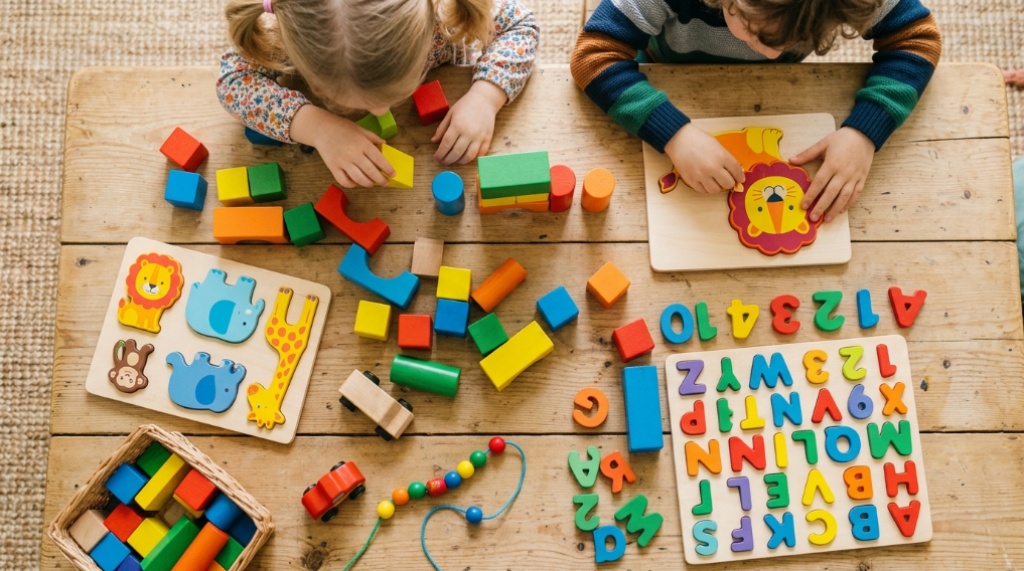
Generic “craft time” is easy to set up and easy to forget. Activities tied to a specific skill are easier to repeat and easier to build on. Below are four categories, each with a version that works with what you probably already own.
Language and Storytelling
Story dice with household objects. Pull five random objects from a drawer — a spoon, a sock, a battery, a rubber band, a coin. The child has to build a story that includes all five. This forces sequencing, cause-and-effect language, and vocabulary stretching without any prompting from you.
Audio-only bedtime stories. Have your child tell you a story with the lights off while you listen without interrupting. The absence of visual cues pushes them to describe settings and characters in words. For older kids, ask them to retell a story they know but change the ending — that’s an early form of editing and revision.
Math and Logic
Grocery store budgeting. Give a child a fixed amount to spend on one meal and let them do the arithmetic in the aisle. Rounding, estimating, and comparing unit prices are all real math skills that worksheets struggle to make meaningful.
Ramp engineering. A piece of cardboard, a stack of books, and a toy car. Ask which angle makes the car go farthest, then have the child test it three times and record the results. That’s measurement, variables, and basic data collection — the same structure as a science fair project, minus the poster board.
Science and Observation
Kitchen chemistry with a control. Mix baking soda and vinegar, then ask what changes if you use half the baking soda. The key move is the comparison, not the fizz. Children who learn to ask “what changed?” early carry that habit into every subject.
Window sill growing. A bean in a damp paper towel inside a clear cup shows root growth in days. The learning comes from the daily check-in, not the setup — that’s where patience and observation get practiced.
Fine Motor and Spatial Skills
Clothespin and card towers. Building structures with clothespins and index cards requires grip strength, balance judgment, and planning. It also fails often, which is the point.
Blindfold drawing. One child describes a simple shape while another draws it without looking. This builds spatial language (“a little to the left,” “make it taller”) and listening accuracy. For more expert strategies, check out our guide on how to combine play-based learning with kids care therapy.
How to Turn Screen Time Into Learning Time
Screens aren’t automatically the opposite of play-based learning. The difference usually comes down to whether the child is choosing, creating, or just consuming. A drawing app where a kid builds a comic strip is closer to open-ended play than a video that plays passively.
If you’re adding a kids’ tablet to the mix, three features matter more than anything else on the spec sheet:
- Parent controls that are actually usable. Time limits, content filters, and the ability to add approved apps should take minutes to set up, not an afternoon.
- A durable case and a real warranty. Kids’ tablets get dropped. A protective case and a multi-year replacement guarantee change how relaxed you can be about handing it over.
- Content that adapts to age. A library that grows with your child is worth more than a large library that stays static.
Amazon’s Fire Kids tablets are built around exactly these priorities — a chunky protective case, a subscription-based content library organized by age, and a parent dashboard for limits. They are not high-performance tablets; they’re designed for durability and parental control, which is a different goal. If you want a device that doubles as a serious gaming or creative tool for an older child, that trade-off matters.
The most useful pattern is a handoff, not a handover. Let the tablet introduce a topic — a video about volcanoes, a puzzle game about fractions — then move the same idea into the physical world with a hands-on activity. The screen becomes the spark, not the whole fire.
Matching Activities to Your Child’s Stage
Most activity ideas fail for one of two reasons: they’re pitched too low and the child wanders off, or too high and the child shuts down. Use the table below as a rough filter, then adjust based on what you actually see.
| Stage | What works well | Skills being built | Watch for |
|---|---|---|---|
| Toddler (roughly 2–4) | Sorting, pouring, stacking, simple pretend play | Hand control, color and size categories, early language | Choking hazards; keep sessions short |
| Early elementary (roughly 5–7) | Ramps, simple recipes, story building, basic board games | Measurement, sequencing, turn-taking, early reading | Frustration when rules change mid-game |
| Middle elementary (roughly 8–10) | Budgeting, building challenges, coding basics, comic making | Planning, multi-step reasoning, persistence | Perfectionism; emphasize process over result |
| Preteen (roughly 11–12) | Real projects with real stakes — cooking a meal, fixing something, making a video | Independence, time management, self-assessment | Losing interest if the task feels like a chore |
Age bands are a starting point, not a rule. A seven-year-old who loves building may handle a ten-year-old’s project. Follow the child’s engagement, not the label.
Common Mistakes That Turn Play Into Work
Correcting too early. If a child’s tower is leaning, let it lean. The collapse teaches more than your warning does. Step in when safety or genuine frustration is involved, not when the result looks wrong.
Taking over the project. It’s tempting to fix the crooked seam or finish the drawing. The moment an adult’s hands take control, the child’s ownership drops and so does the learning.
Adding a reward. Stickers and prizes for “doing a good job” can shift a child’s motivation from the activity itself to the payoff. Save rewards for things that genuinely aren’t fun, like dentist visits.
Over-scheduling. A different themed activity every day burns out parents fast and teaches kids to expect constant novelty. A rotating set of five or six activities they can return to builds depth instead.
Treating screens as a separate category. When tablet time is framed as a treat and everything else as “learning,” kids learn the hierarchy quickly. Blending the two — screen idea, offline follow-up — keeps the whole day in the same category.
Frequently Asked Questions
How much time should kids spend on learning activities versus free play?
Most of it should be free play. Structured activities are useful for introducing a new skill or concept, but the repetition that makes learning stick usually happens during unstructured time when the child returns to the idea on their own. Think of structured activities as seeds, not the whole garden.
Do kids’ tablets actually help with learning, or are they just entertainment?
It depends almost entirely on what’s on them and how they’re used. Creative apps, coding games, and interactive reading tools can support learning. Passive video watching mostly doesn’t. The tablet itself is neutral — the content and the parent controls are what determine the outcome.
What if my child refuses to do anything that feels educational?
Stop labeling it. Most kids resist anything framed as a lesson. Instead, embed the skill inside something they already want to do — measuring ingredients for a recipe they chose, or calculating how many more minutes they need to beat a level. The learning doesn’t need to be announced.
How do I keep activities from getting messy or expensive?
Set a materials budget before you start — three items from the recycling bin, for example. Mess is easier to accept when it’s contained to a tray, a shower curtain, or the kitchen floor. The activities that teach the most are usually the cheapest ones.
At what age should kids start using a tablet independently?
There’s no universal age. The better question is whether your child can follow the limits you set without constant supervision. If they can’t yet, use the tablet together or with a timer. Parent controls help, but they work best alongside an adult who checks in.
Can siblings do these activities together if they’re different ages?
Yes, and it often works better than separate activities. Give the older child a role that requires explaining — describing rules, keeping score, reading instructions aloud. Explaining forces understanding in a way that doing the task alone doesn’t.
Conclusion
The activities that teach the most are rarely the ones that look most educational. They’re the ones where a child makes a choice, sees a result, and adjusts. Start with one activity from a category your child already enjoys, keep the materials simple, and resist the urge to correct the outcome. If you’re considering a tablet as part of the mix, prioritize durability and parental controls over processing power, and treat the screen as a starting point for offline play rather than a replacement for it. Pick one thing to try this week — not five.
Sorry, the comment form is closed at this time.